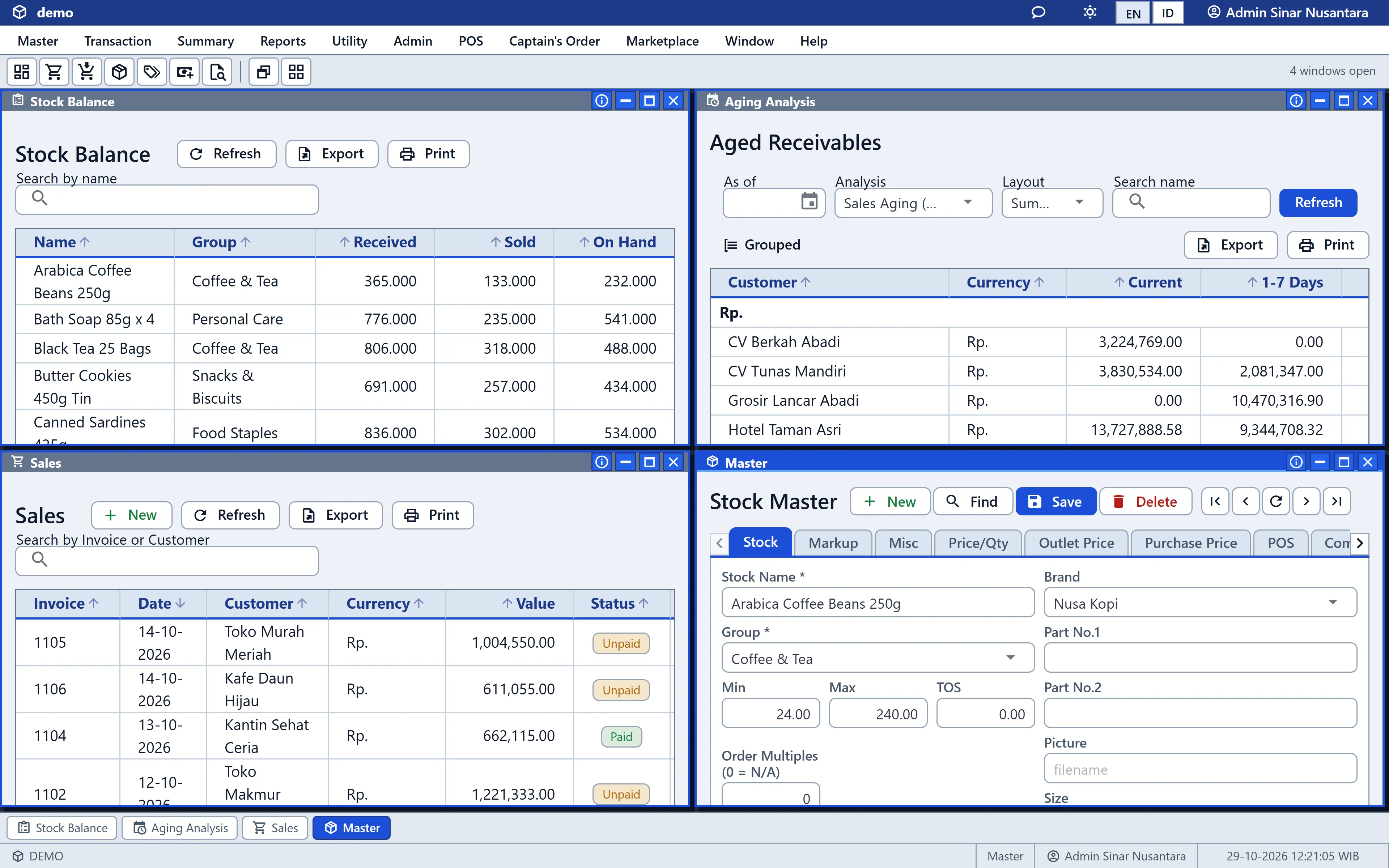
You fill in the invoice. The program keeps stock, receivables, payables and every report up to date from it.
Try it
Price an invoice line.
Type a price, a quantity and up to three discounts. Each discount is taken from what the one before it left, the way the program works out every line.
Rp
Rp
%
+
%
+
%
Gross price x qtyRp 744,000
Discount 10% + 5% + 5%Rp 139,686 (18.8%)
NetRp 604,314
Margin against buying priceRp 64,314 (10.6%)
CostMarginDiscount
Below cost. The program can refuse a sale like this.
Arabica Coffee 250g
PcsBox of 12Carton
min 24max 240
Stock that adds up
Several units per item, minimum and maximum levels, and a reorder list that tells you what to buy.
Gross margin
23.4%
Margins on every sale
Profit per invoice, per item and per salesman, with prices marked up for each kind of customer.
Print an invoice once
No edits after saving
No sales below cost
Rules you set
An invoice prints once, operators cannot edit or delete a saved one, and nobody sells below cost.
Line discount
10%+5%+5%=18.8%
Discounts the way you sell
Stacked discounts like 10% + 5% + 5%, in percent or in rupiah, on any line.
Kopi Susu x236,000
Nasi Goreng32,000
Table 4Rp 68,000
A till for the shop floor
Keyboard and touch tills, held tickets, cash drawer checks and a waiter's order page for restaurants.
By customer
XLSXPDF
Customer ↑
Value
Toko Murah
1,004,550
Kafe Daun
611,055
180+ reports
Every list sorts, exports to Excel or PDF, and prints. The sheets your accountant already knows are still there, plus Coretax files for the tax office.
One invoice, everything updates
Save the invoice. The rest follows.
There is no second entry for stock, for what the customer owes, or for the reports. They all read from the invoice you just saved.
Sales
1105
Toko Murah
14-10-2026
Item
Qty
Price
Amount
Arabica Coffee Beans 250g
12
62,000
744,000
Black Tea 25 Bags
10
26,055
260,550
✓ Saved
Total1,004,550
Stock on hand
Arabica Coffee Beans 250g-12220
Black Tea 25 Bags-10478
Receivables
Toko Murah, balance+1,004,550Rp 2,372,070
Report
Sales todayRp 1,615,605
891011121314
Figures are fictitious, for demonstration purposes only.
Everyone on the same numbers
Head office, branches and the warehouse in one place.
No copying files between offices. Everyone signs in to the same company and works on the same stock and the same invoices.
01
One company, every user signed in.
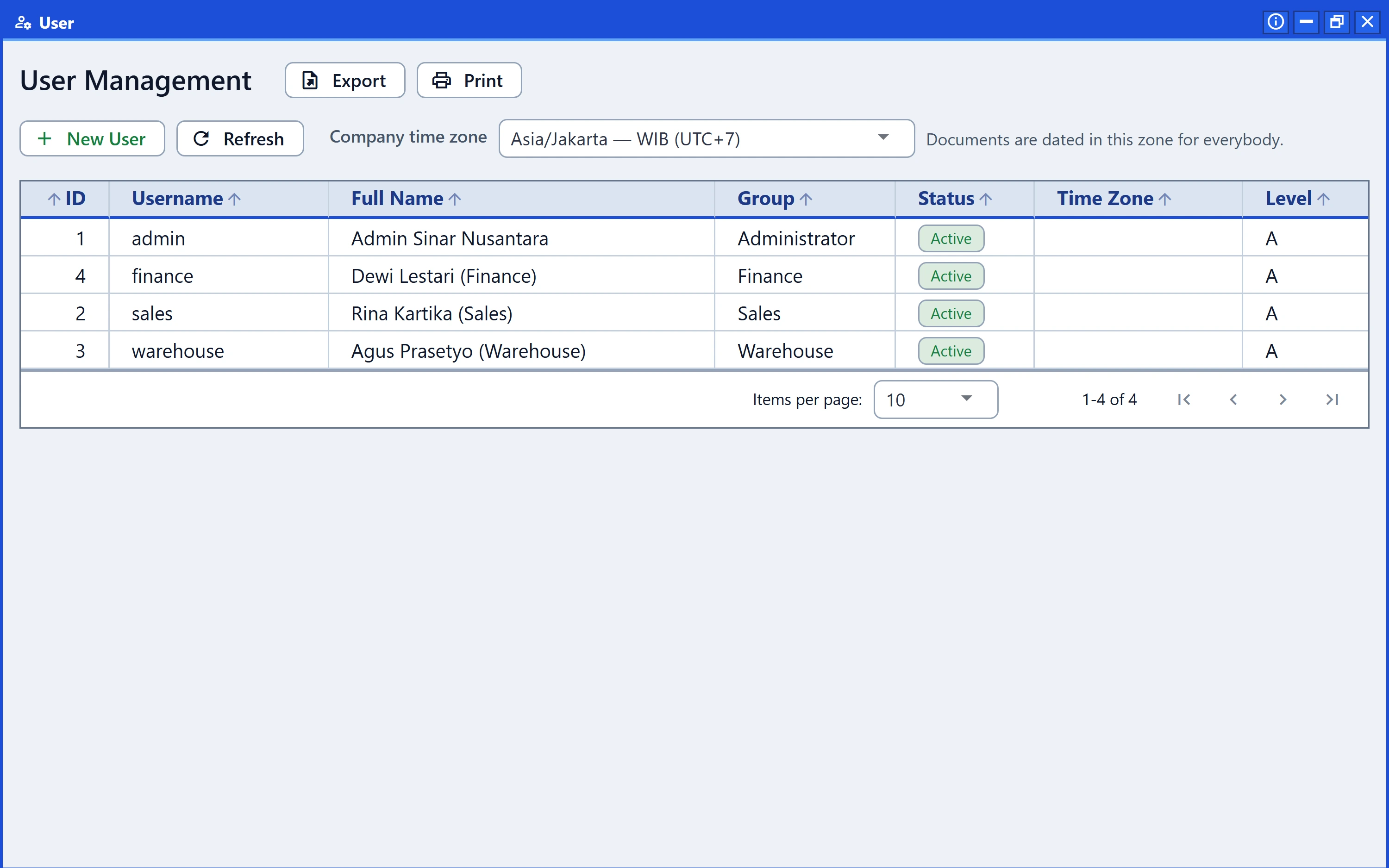
Each person has their own login. The owner decides which menus each group of users can open.
Each user sees only the menus you allow
Windows side by side, like the desktop program
English and Indonesian, one tap apart
02
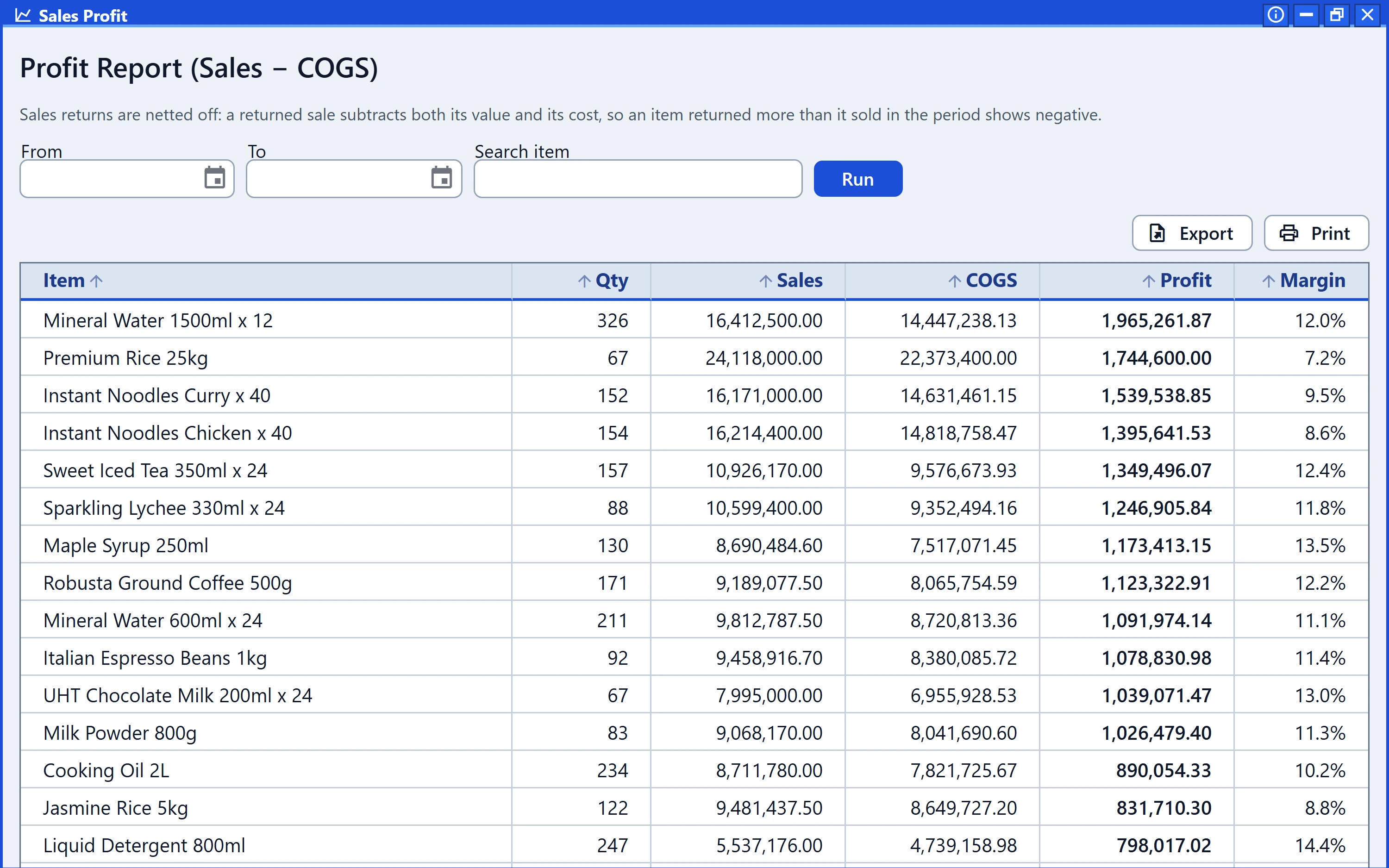
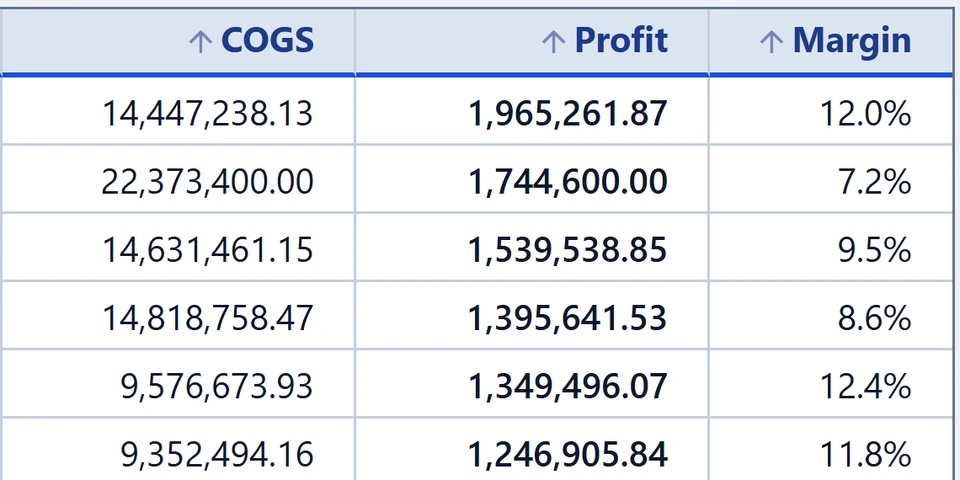
The margin on every item.
The profit report sets sales against cost for each item, with the profit and the margin beside it. Returns are netted off.
03
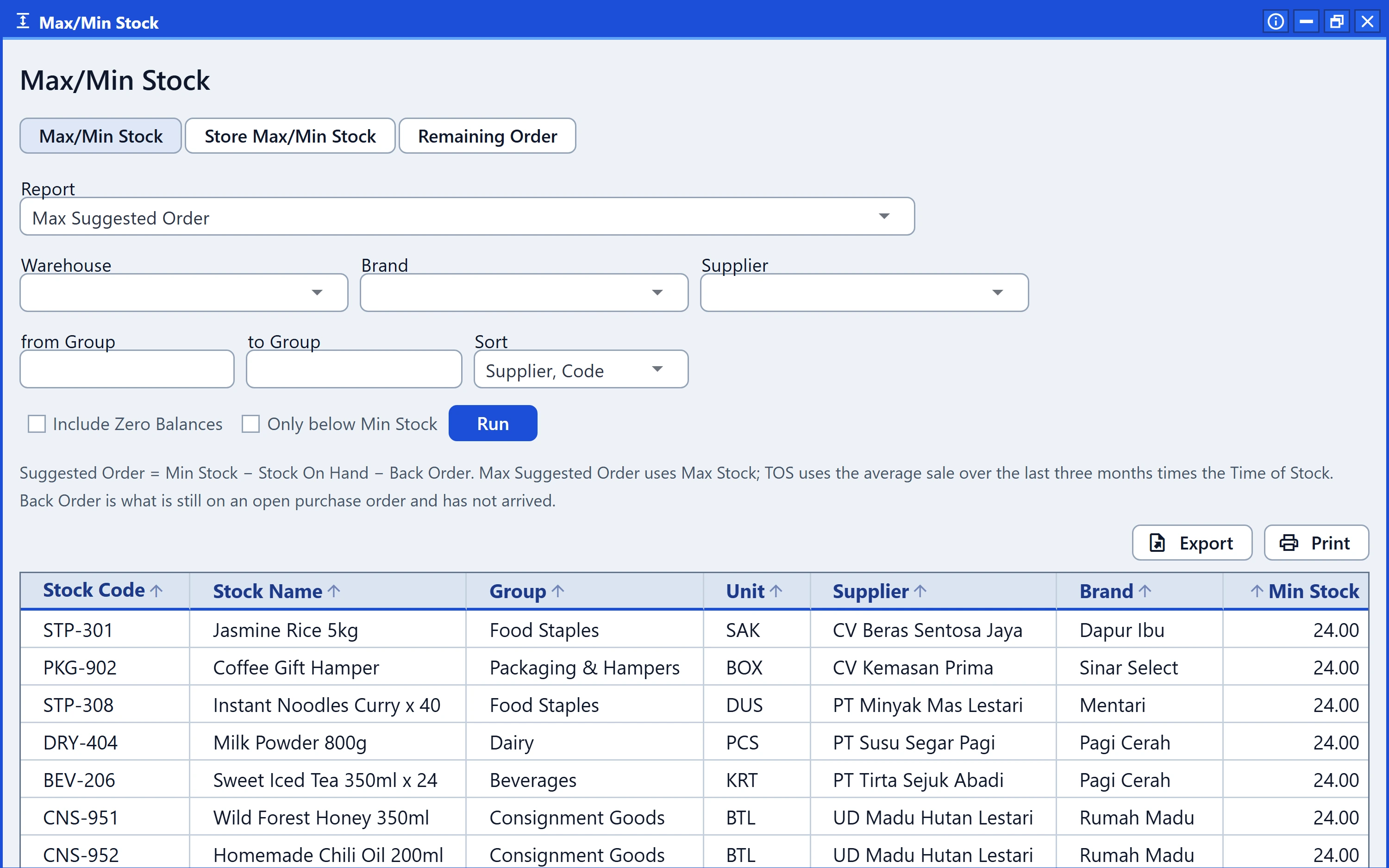
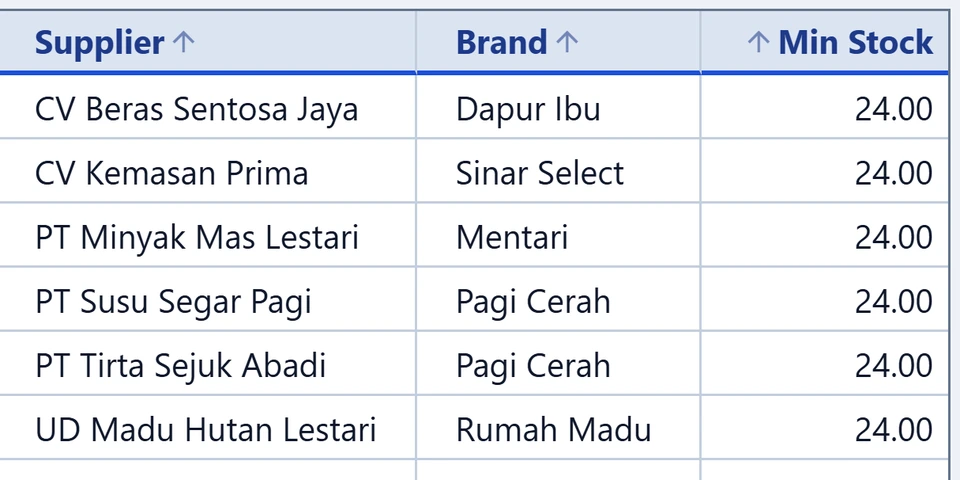
Know what to reorder.
Set a minimum and maximum per item and warehouse. The suggested order is the minimum, less what is on hand, less what is already on order.
04
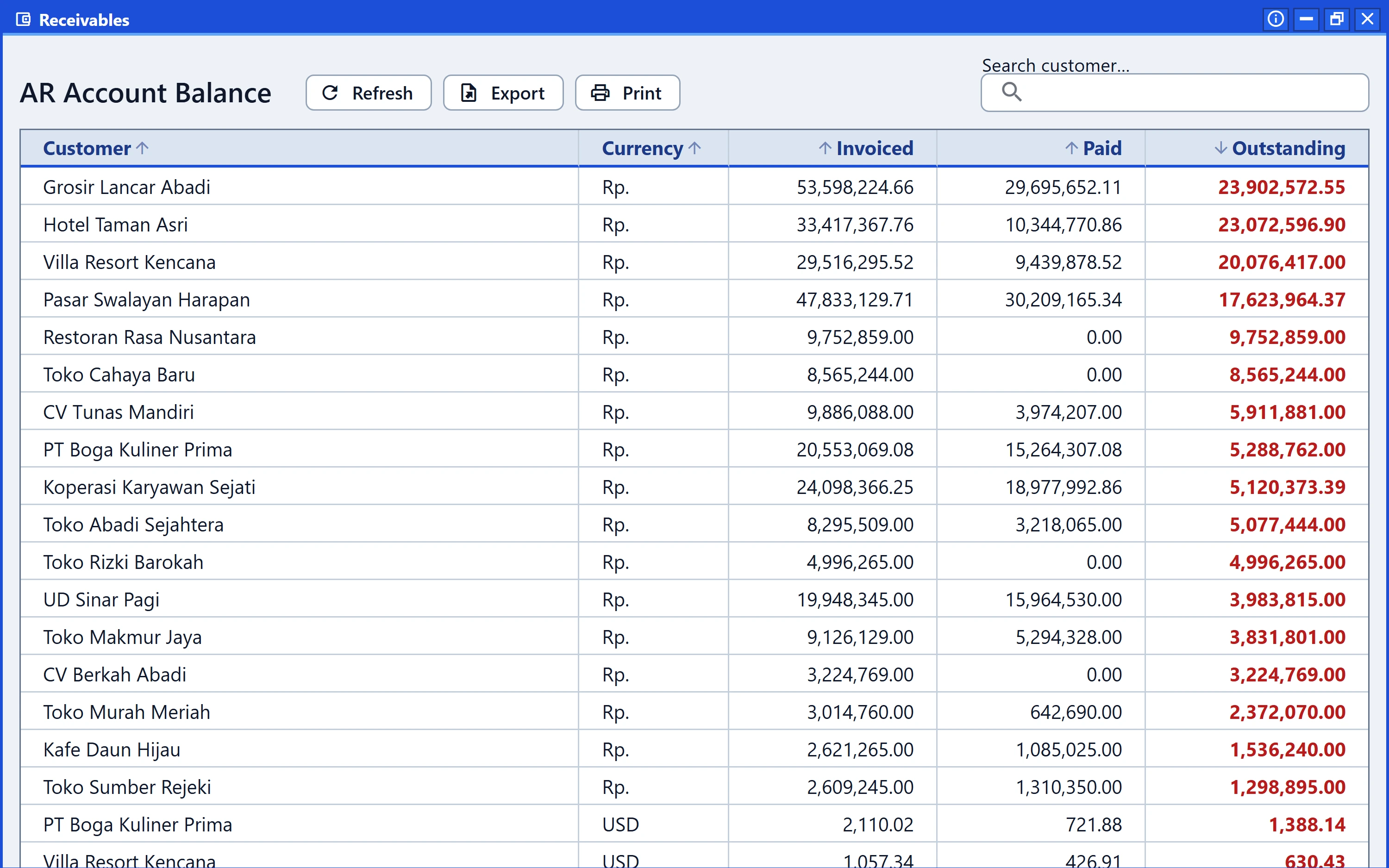
See who owes you.
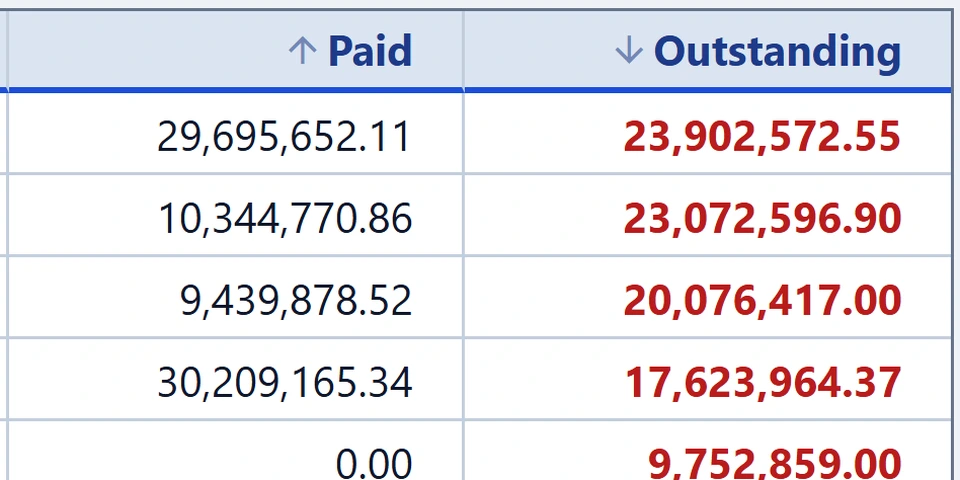
Every customer's balance, invoiced, paid and outstanding, kept separately for rupiah and dollars.
05
Export or print any list.
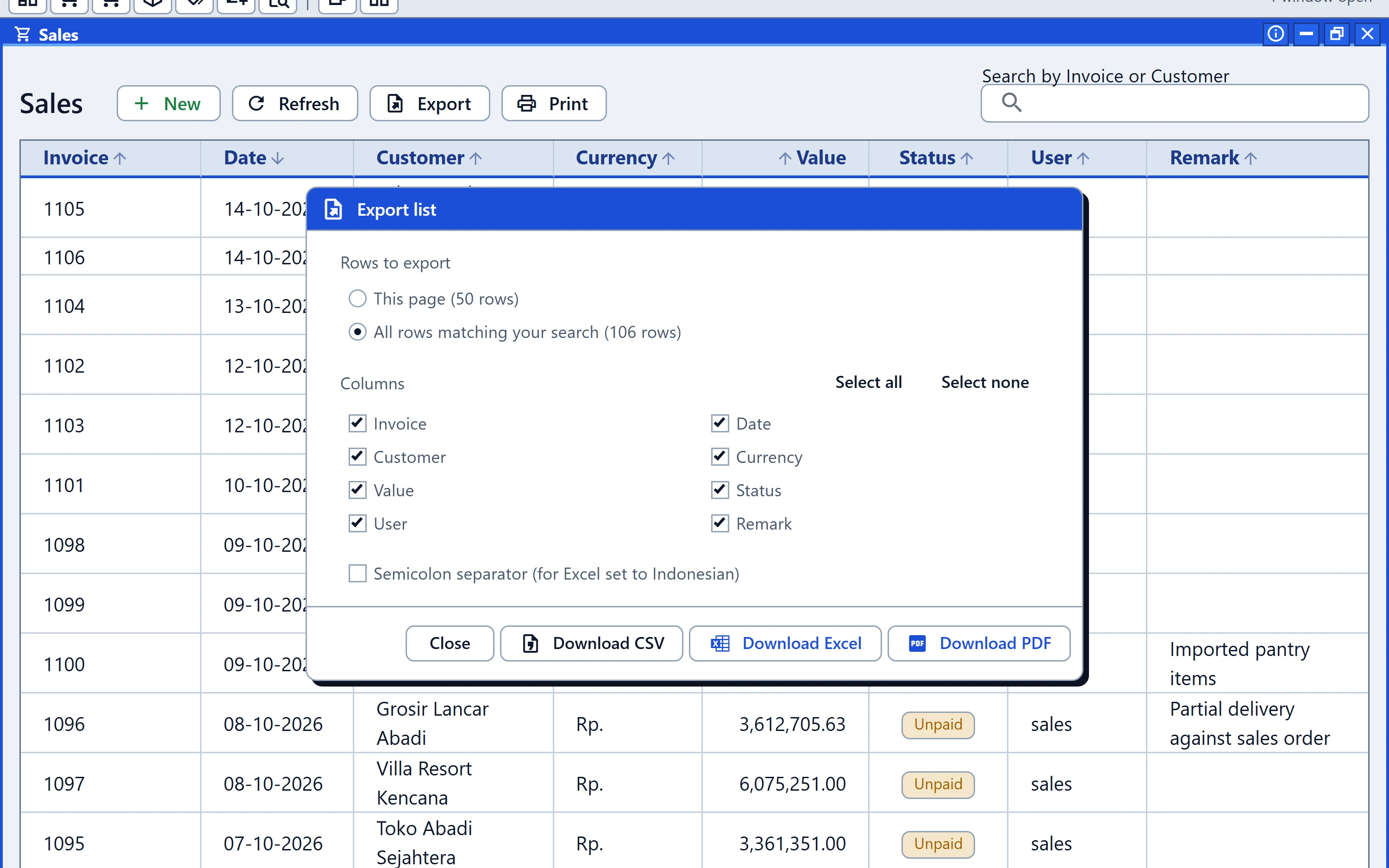
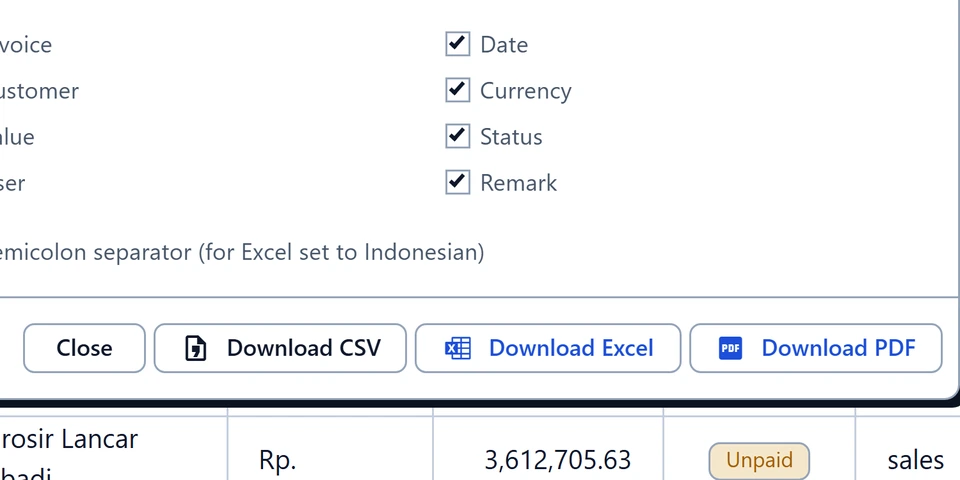
Choose this page or every matching row, tick the columns, and download Excel, CSV or PDF. Or print it.
Our history
From DOS to the browser.
Integrated System has made software for distributors, wholesalers and shops for more than thirty years. Each generation kept the way you work and moved it to the computers of its day.
INTEGRATED SYSTEM
1Sales
2Purchasing
3Stock
4Receivables
5Payables
6Reports
Choice:
1991–2000
DOS
ISX starts as a DOS program for distributors and wholesalers. Stock, payables, receivables and salesman turnover sit in one system: enter the invoices, and the program writes the reports.
ISX
MasterTransactionSummaryReportsUtility
CodeNameQtyPrice
2001–2009
Windows
ISX moves to Windows with the same rules. It is quick to learn, each operator gets only the menus the owner allows, and prices run in rupiah and US dollars.
2010–now
MySQL
ISX and POSX run on a MySQL database, so they work over the internet. A company with branches keeps one database at head office and sees each branch's sales from anywhere. POSX serves supermarkets, minimarkets, fast food and bakeries.
Today: program.id. The same ISX in a browser, on any computer or phone, with nothing to install.
Then and now
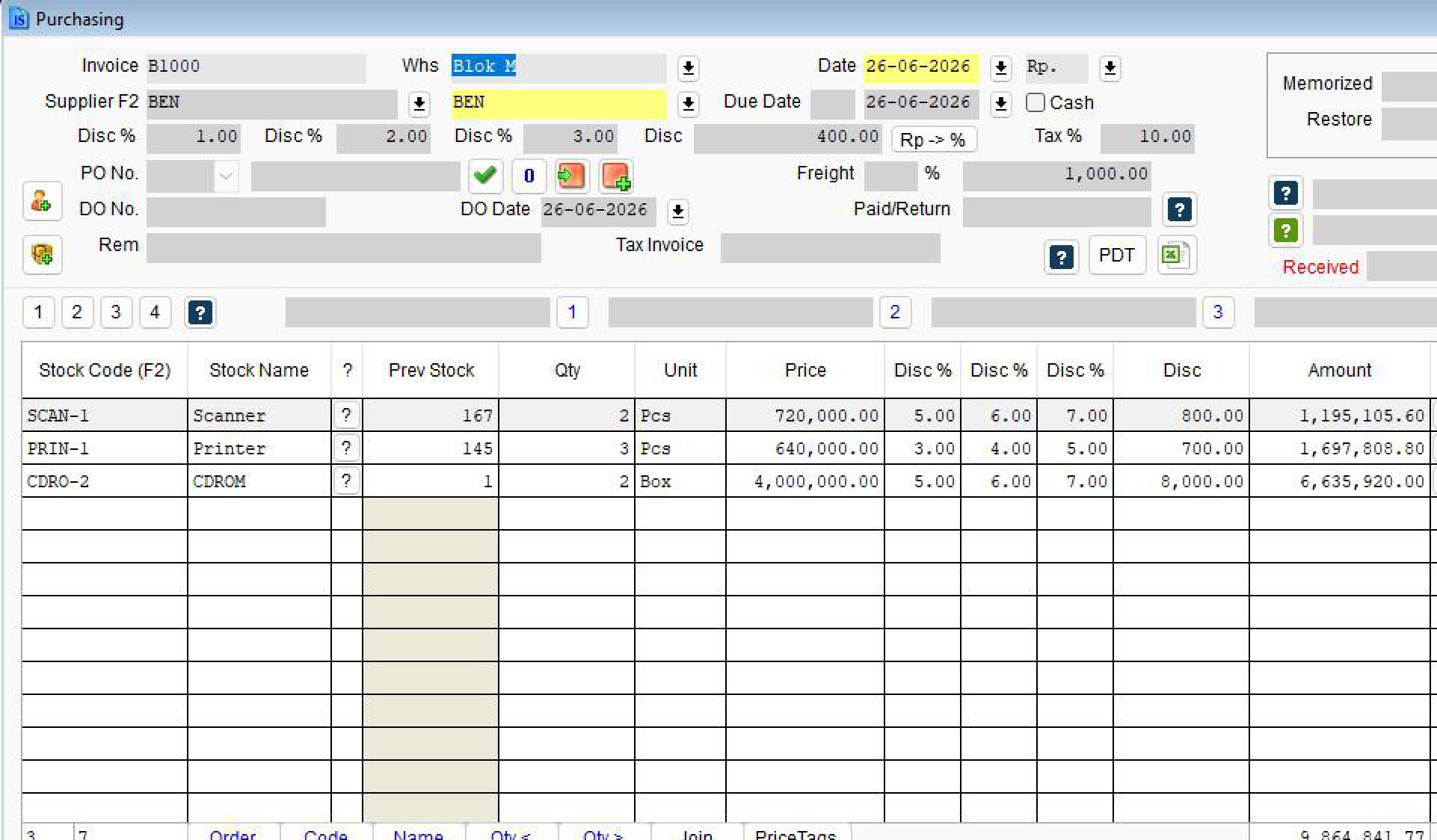
The invoice screen you know, in a browser.
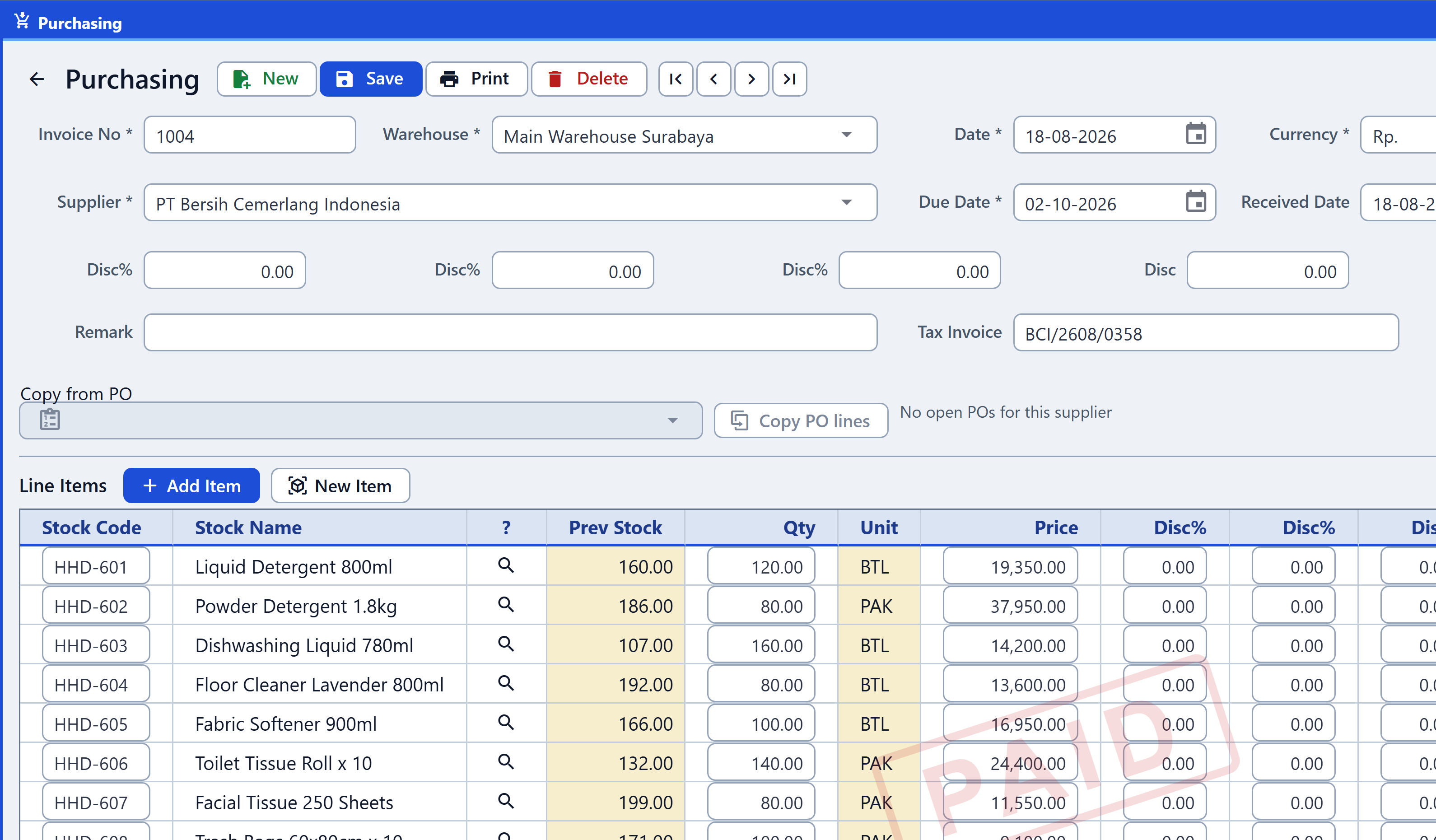
Drag the handle. The header fields, the stock column and the item lines sit where they always have.
ISX for Windowsprogram.id
Left: Purchasing in ISX for Windows, from the original program.Right: the same Purchasing screen in program.id. Figures are fictitious, for demonstration purposes only.
Mobile
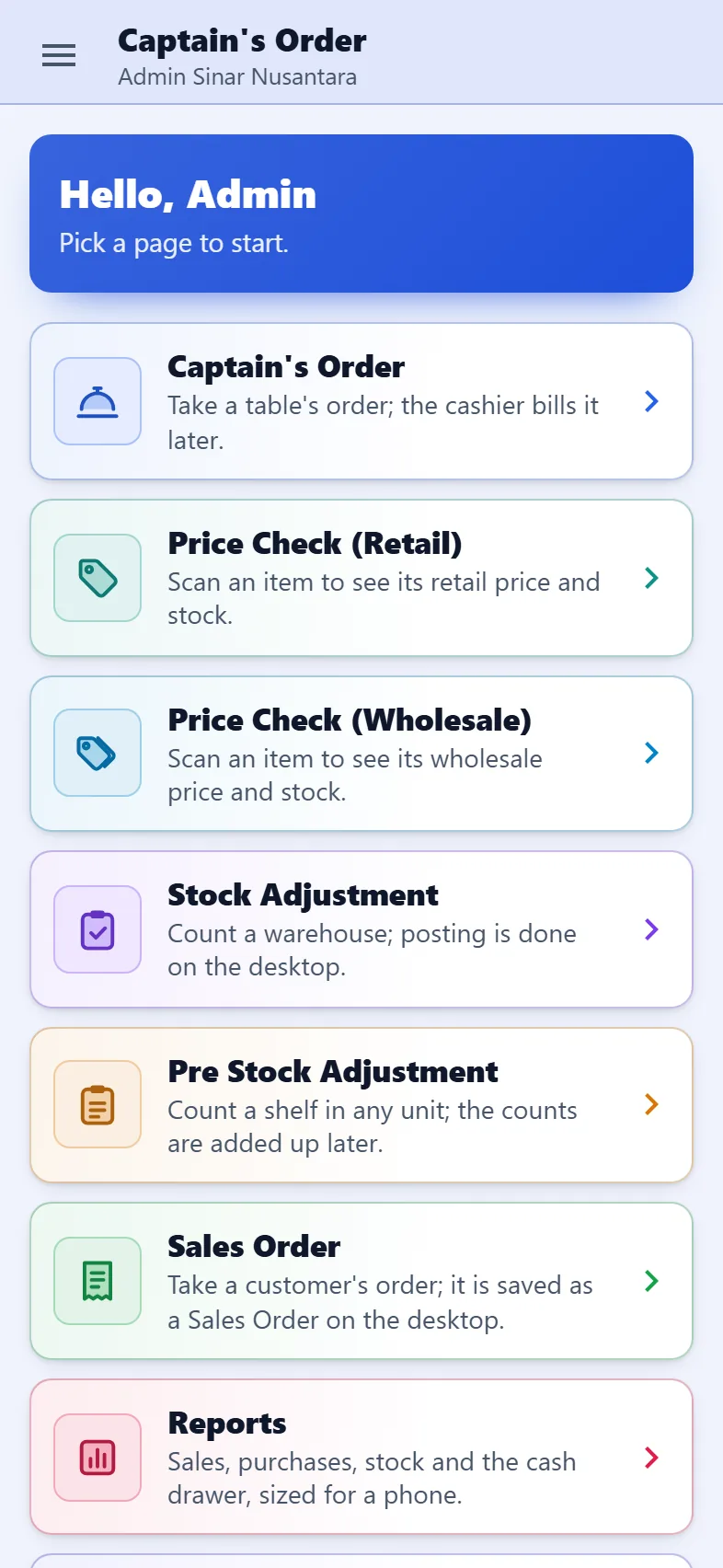
Take orders, sell and count stock from a phone.
Available with the Mobile add-on, with no app to install. The sign-in page offers Desktop or Mobile, with the same user and password. Waiters send a table's order to the till, a till sale can be rung up and paid on the phone, salespeople take orders and write invoices, and staff scan barcodes to check prices or count a shelf, on iPhone or Android. The pages a company sees follow the parts of the program it uses.
With the Marketplace add-on, your company gets its own web shop at yourcompany.shop.program.id, or on a domain of your own. A web order arrives as a Sales Order, shoppers track it and chat with you, and you finish it with a sales invoice or at the POS till once the bank transfer is in.
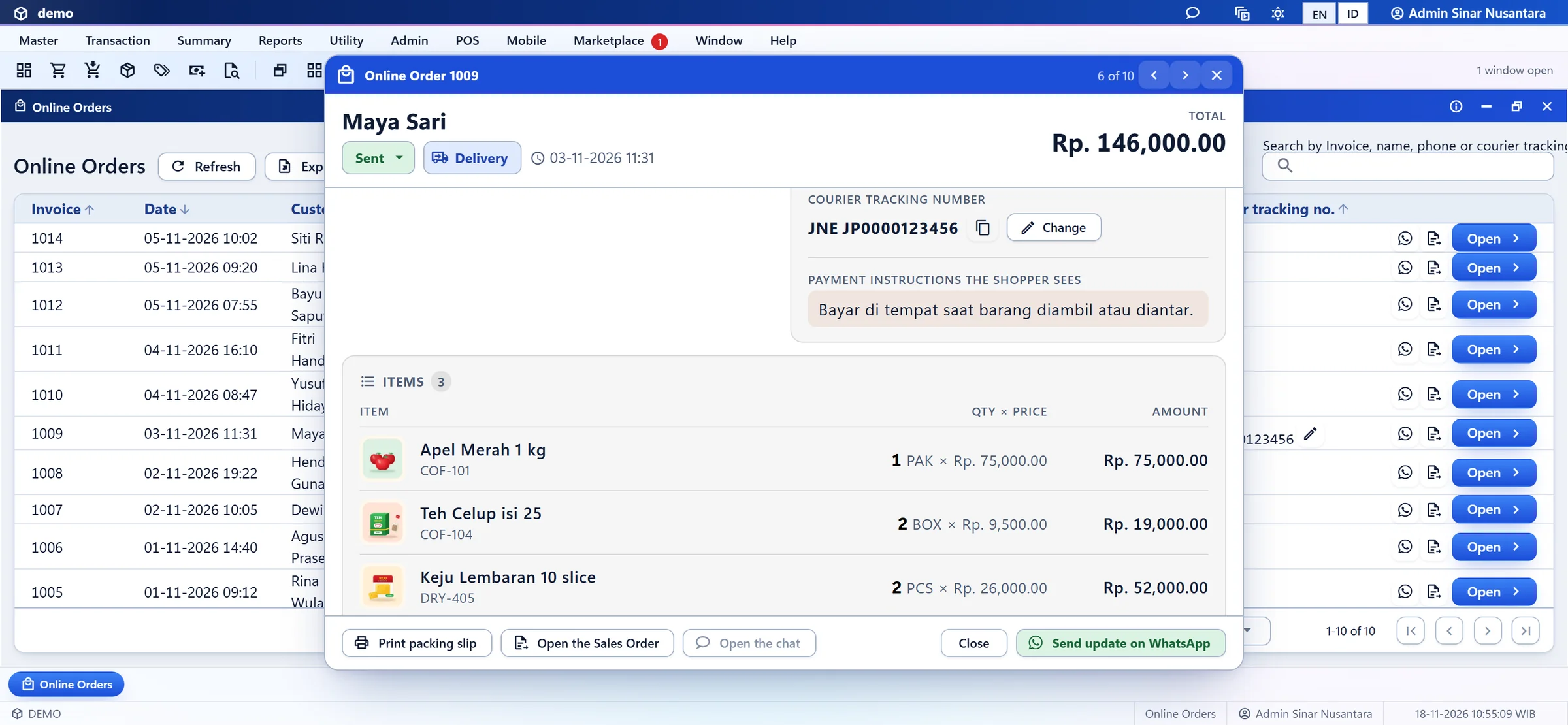
Online Orders
New orders show at once
The Marketplace menu counts the web orders nobody has started on, and a notice in the corner names each new one.
Updates on WhatsApp
A ready message for the shopper with the status, the courier and tracking number, any extra charge with the new total, your note and the tracking link.
Finish it at the till
POS > Web Orders takes a paid web order into a till ticket. Paying closes its Sales Order and marks the order Sent.
Online Sales Summary
Web orders per day, week or month, the cancelled ones, the net value and the best sellers, with Export and Print.
Links with a preview
A shop or product link shared on WhatsApp, Facebook, Instagram, Telegram or X shows its name and picture, and a product its price.
A poster for the shop
Print an A4 poster with your logo, a big QR code of the shop and “Belanja online di toko kami”.
Easy to browse and order
Shoppers sort by recommended, best selling, price or name, can show only what is in stock, and pick their country for the phone number at checkout.
Order again
On the tracking page, one button puts the same items back in the cart at today's prices.
Every order in one window
Click an order to see its status, the shopper with WhatsApp and Call buttons, the items and the history, and print a packing slip.
Delivery and tracking
A delivery order pays one flat fee of your choice, or delivery is free. Type the courier and tracking number, and the shopper sees them on the tracking page.
Many photos at once
Drop a whole folder of product photos into Products for Sale, pick each photo's item and upload them in one go. Large phone pictures are made smaller first.
Your brand, your address
The shop wears your logo, colours and banner, and the program can have a look of your own too. Both can open on your own domain, such as shop.yourcompany.com, over secure https.
Our customers
Shops that run on ISX.
From minimarkets in Papua to supermarkets in Timor Leste and the Maldives. Tap a video to watch it here.